
purebaltic
Gig Diary
Gig management for
working musicians
PB Gig Diary keeps your gig diary, setlists, song library, and Google Calendar in sync — from a single, simple WordPress admin interface.
Features
Everything in one place
Whether you’re managing your own band’s diary or handling bookings for multiple acts, PB Gig Diary brings your gigs, venues, setlists, and public listings together — no spreadsheets, no double-entry, no missed dates.
Gig listings
Publish upcoming and past gigs to your website automatically with a simple shortcode. Filter by artist, year, or show type.
Google Calendar sync
Keep your band’s Google Calendar in sync with your gig diary. Add, update, or cancel a gig and the calendar updates automatically.
Setlist builder
Build setlists with drag-and-drop, copy sets between gigs, and share the setlist with your band in one click.
Songs library
Maintain a full song catalogue with keys, durations, and original artists. Import and export via CSV. Publish your repertoire to your website.
Timing calculator
Enter your start time, gap between songs, and break between sets — PB Gig Diary calculates your projected finish time as you build your setlist.
Public setlist pages
Every gig with a public setlist gets its own shareable page — ready to send to fans, promoters, or venue staff.
See it in action
Built for how bands actually work
A clean admin interface that stays out of your way — built by musicians, for musicians.
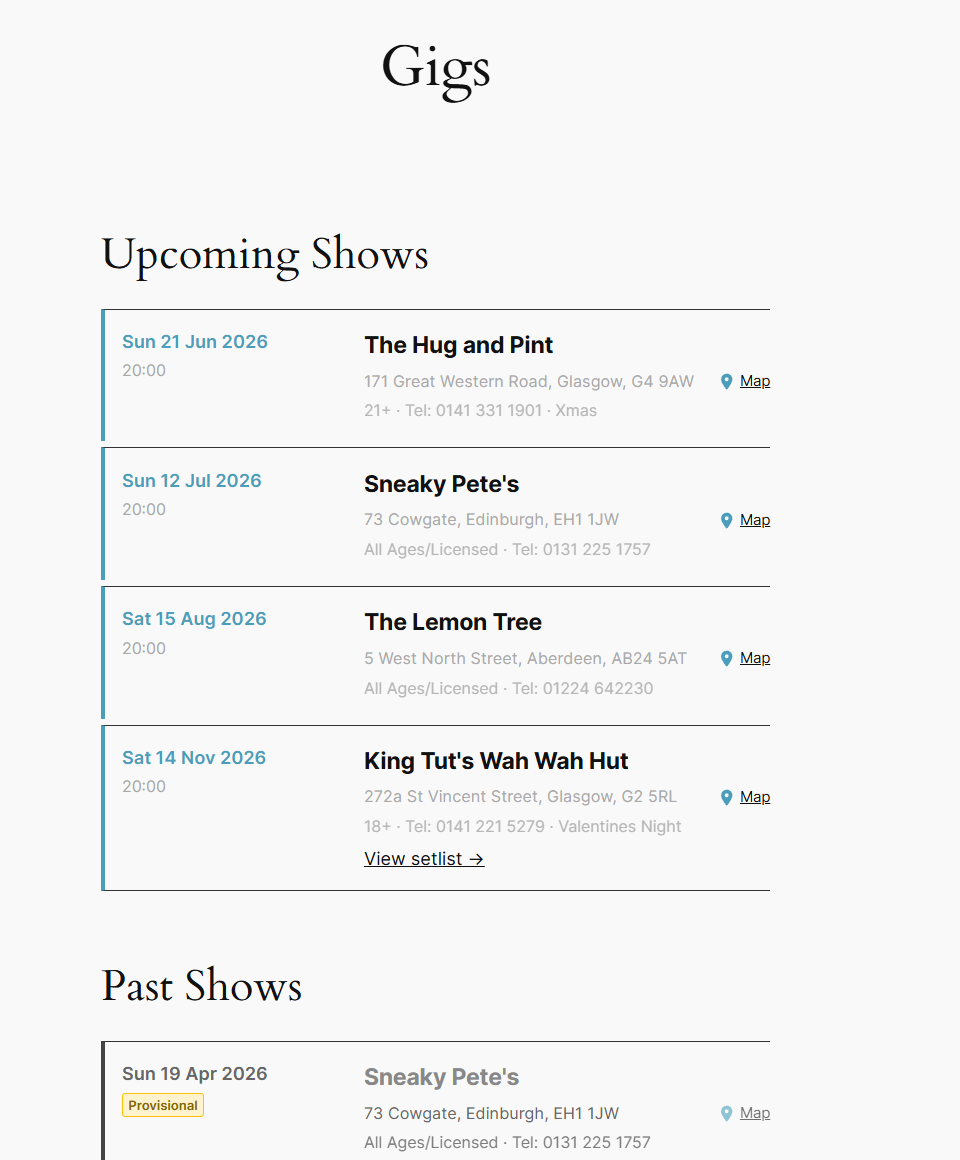
Public gig listings — upcoming and past shows displayed automatically on your website
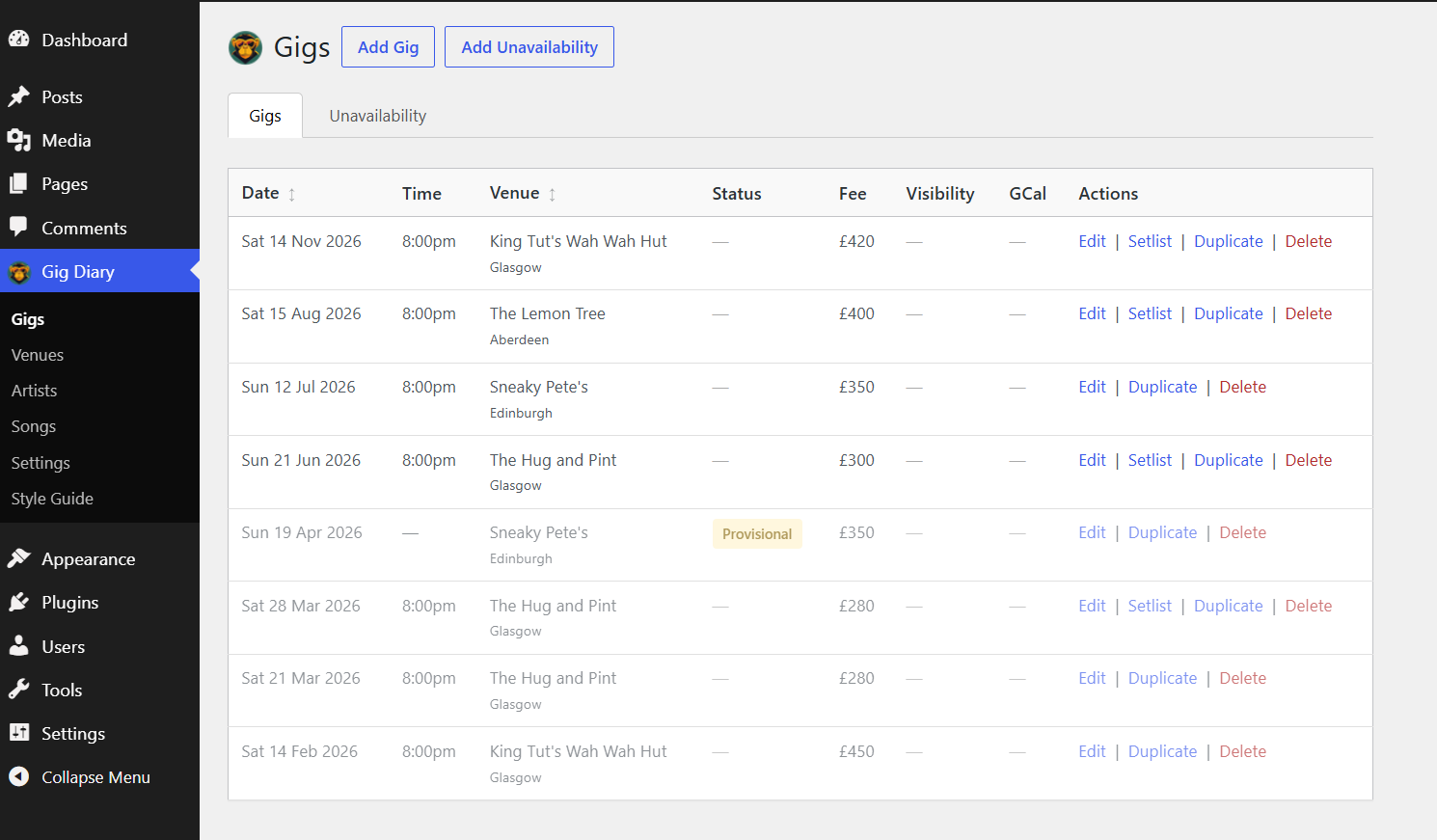
Gig diary admin — manage all your gigs with status badges, fees, and quick actions
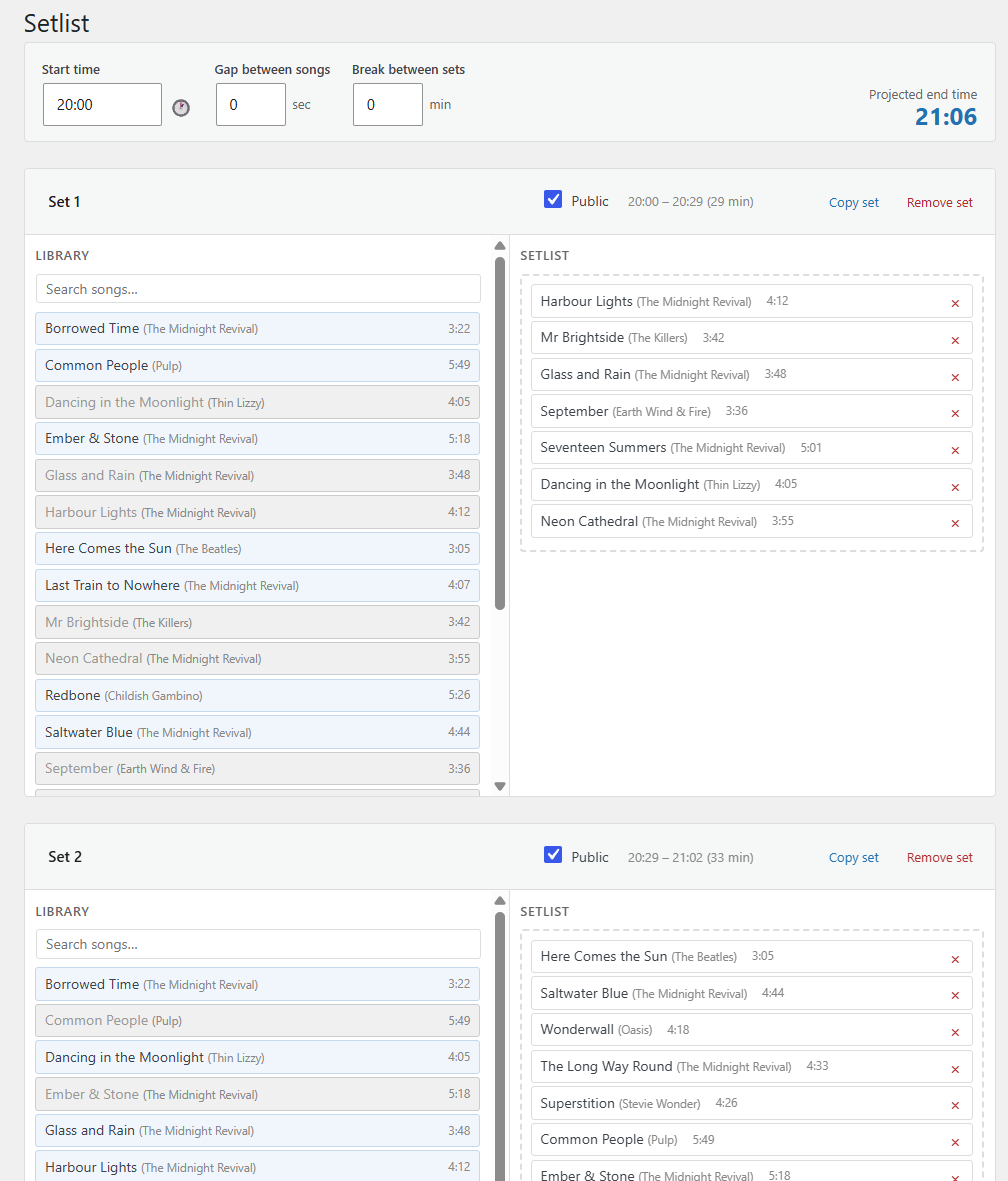
Setlist builder — drag-and-drop with live timing calculator and projected end time
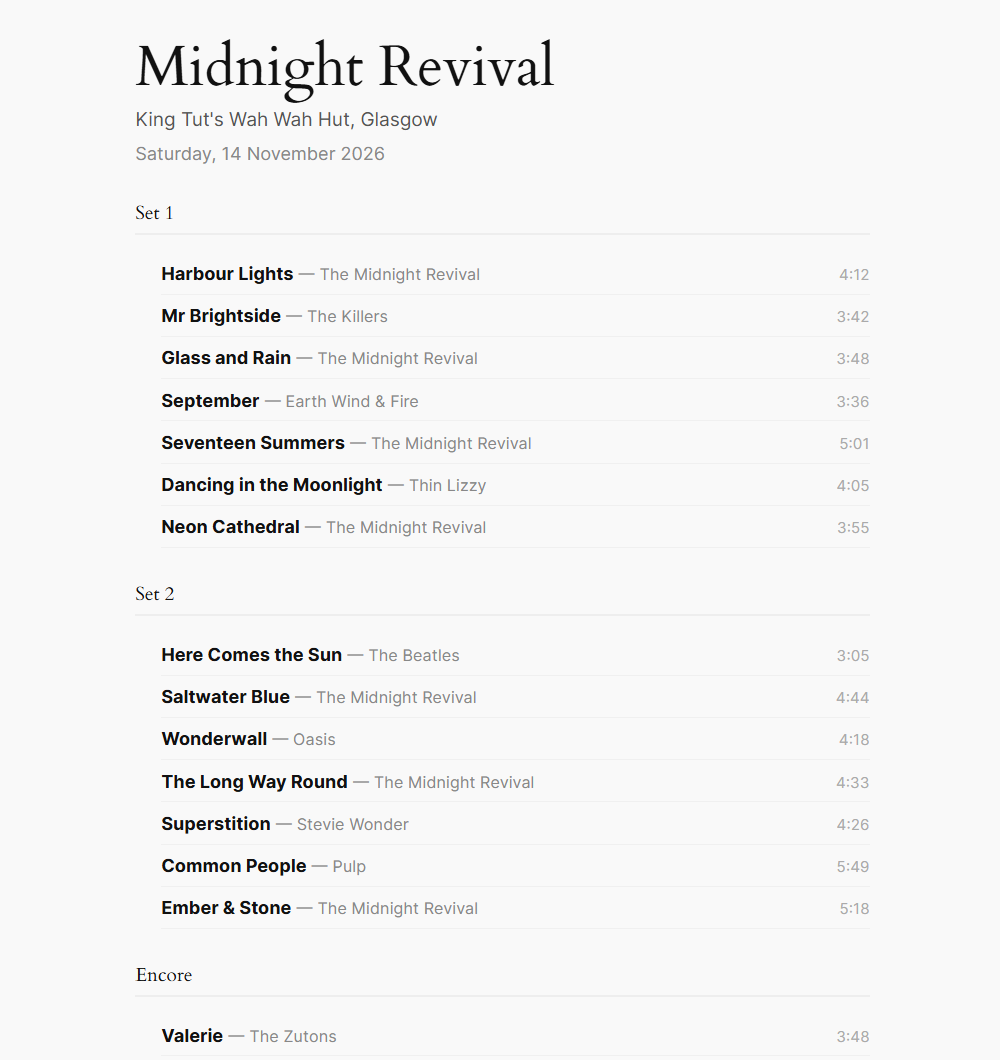
Public setlist page — a clean shareable page for every gig with a public setlist
For booking agencies
One install.
Every artist.
PB Gig Diary Agency lets you manage all your acts from a single WordPress install, with gig listings and repertoires published to individual band websites via REST API.
- Each artist’s data is fully separate — no cross-contamination
- Artists connect their own websites via the free companion plugin
- One diary entry syncs to every calendar and website automatically
- Scale from 5 to 50 artists without changing your workflow
Add a gig once. It appears on your agency site, the artist’s own website, and their Google Calendar — instantly, without any extra steps.
See agency pricingPricing
One-time purchase
Buy once, use forever. All plans include 12 months of updates. Optional renewal at 50% thereafter. Prices shown in GBP — USD links available on each plan.
- Basic gig listing shortcode
- Upcoming & past gigs
- Google Calendar
- Setlists & songs
- Style editor
- Everything in Free
- Google Calendar sync
- Artist shortcodes
- Import / Export
- Setlists & songs
- Style editor
- Everything in Starter
- Unavailability tracking
- Hidden fees & notes
- Style editor
- Import / Export
- Setlists & songs
- Everything in Pro
- Songs library
- Setlist builder
- Public setlist pages
- Timing calculator
Agency plans
All Studio features included. Manage multiple artists from one install.
FAQ
Common questions
Does the plugin keep working if I don’t renew?
Yes. PB Gig Diary continues working indefinitely after purchase. Renewing at 50% of the original price each year keeps you on the latest updates and new features, but it’s entirely optional.
What WordPress version does it require?
PB Gig Diary requires WordPress 6.3 or above and PHP 8.1+. It works with any theme, including Kubio, Divi, Elementor, and standard block-editor themes.
Can I try before I buy?
A 14-day full-feature trial is coming soon. In the meantime, the free version gives you a taste of the plugin with no licence required. No credit card needed to install.
How does Google Calendar sync work?
You connect a Google Calendar during setup. When you add or update a gig in WordPress, PB Gig Diary automatically creates or updates the corresponding event in your calendar. Cancellations are handled too.
What does the companion plugin do?
The free companion plugin (Agency plans only) installs on an artist’s own WordPress website and connects to your central PB Gig Diary install via REST API. It pulls and displays that artist’s gigs — updated automatically whenever you make changes.
Is there a limit on how many gigs I can add?
No. There’s no cap on gigs, venues, songs, or setlists. The only limit across plans is the number of artists you can manage — single-act plans (Starter/Pro/Studio) cover one artist; Agency plans cover multiple.
How do I get my licence key after purchase?
Your licence key is emailed to you automatically within a few minutes of payment. It includes a download link and step-by-step activation instructions. Enter the key under Gig Diary → Settings → Licence in your WordPress admin.